Bulk upload Shopify discount codes from CSV or Excel
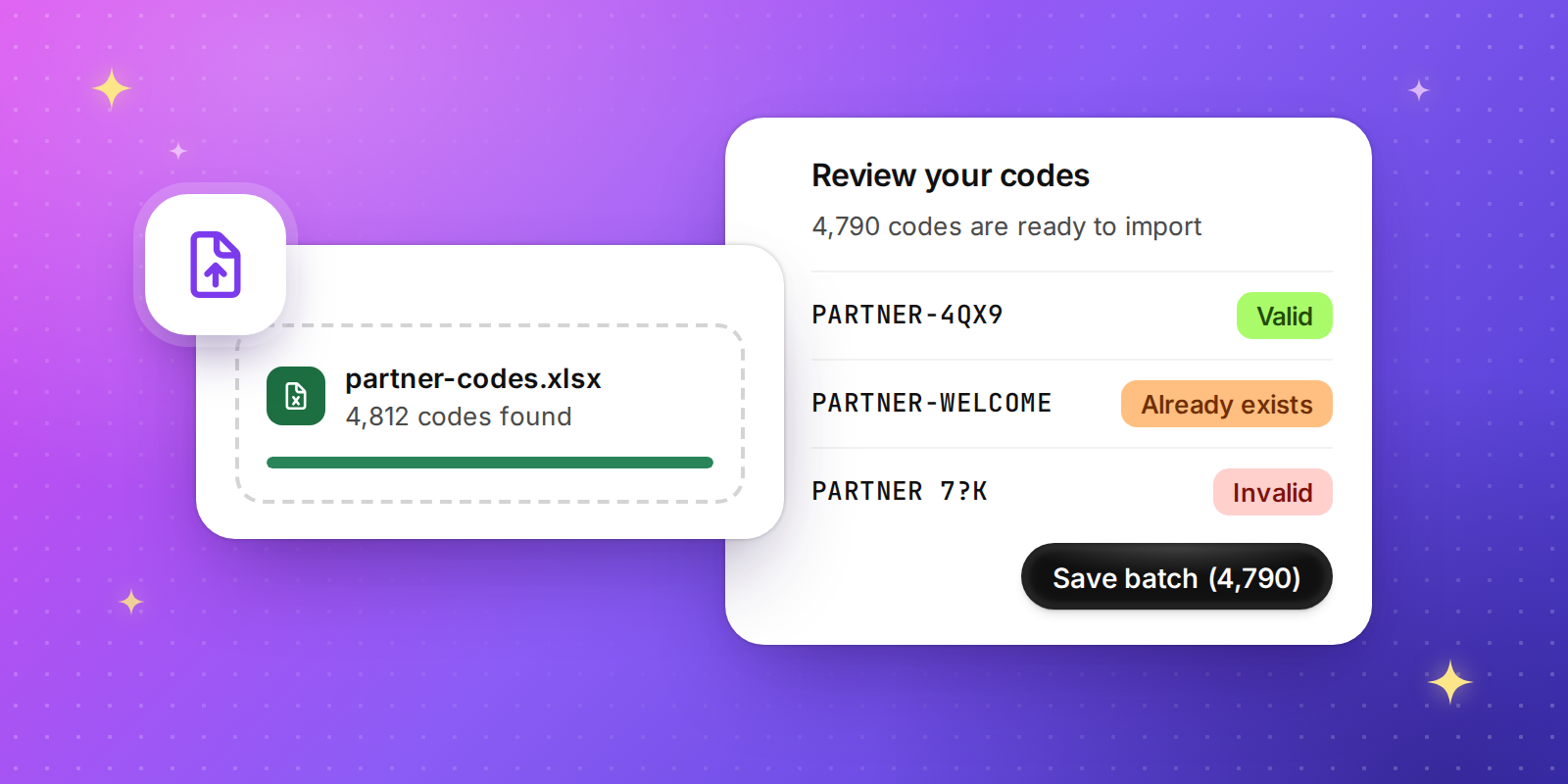
Moving from another platform, or working with existing codes from a partner? Upload them straight into Discount Magic, up to 1,000,000 codes in a single file, and check every one before anything is created in Shopify.
How it works
Create a code discount, or open an existing one and choose Add batch.
Choose Upload CSV and drop in your file.
Review your codes, fix or exclude anything that needs attention, then click Save batch.
Works with the files you already have
Upload CSV, TSV, TXT or Excel (.xlsx) files up to 50 MB. Discount Magic finds the header row and the code column for you, so there's no need to tidy your spreadsheet first.
Problems caught before they reach your store
Every code is checked before it's created, and anything that needs attention is clearly flagged:
Already exists: codes that are already in use in your store are left out automatically.
Duplicate: repeats within your file are only added once.
Invalid: codes Shopify won't accept are marked so you can fix them right there in the list.
Available for stores on the Pro plan at no extra cost.