Partners
Partners in Discount Magic are the influencers, affiliates and businesses who give out or promote your codes, so you can see the revenue each one drives.
Last updated 5 days ago
A partner is who you're working with to give out or promote your discounts: an influencer, an affiliate, a loyalty or cashback platform, another business or a local club. Attributing discounts to a partner shows the revenue each partner drives, so you can see which partnerships perform best.
You keep your partners in Discount Magic's Settings, and the same list is used wherever the app asks for a partner.
Which plans include partners
Ideas for partners
Influencers and creators who share a code with their followers.
Affiliates and voucher websites that list your codes.
Loyalty, cashback and employee benefit platforms that offer your discount to their members.
Other businesses you run a joint offer with, such as a yoga studio giving its members a code for your shop.
Where to find your partners
In Discount Magic, go to Settings and click Partners. Partners are listed from A to Z. To find one, type part of its name into Search partners.
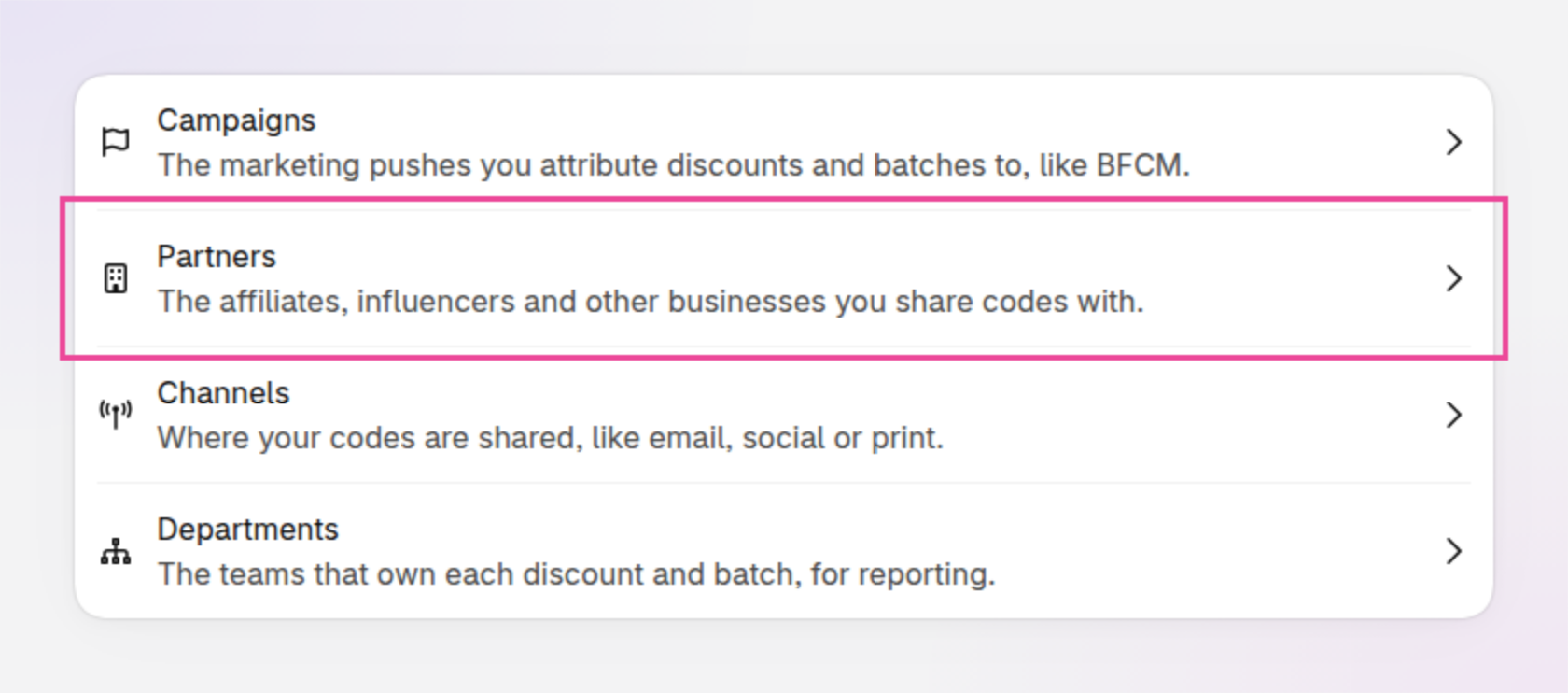
An example of Settings, where Partners opens your partners.
Partners when you install Discount Magic
Discount Magic doesn't add any partners for you. The list starts empty and grows as you add the people and businesses you work with.
How to add a partner
Click Add partner
In Discount Magic, go to Settings > Partners and click Add partner.
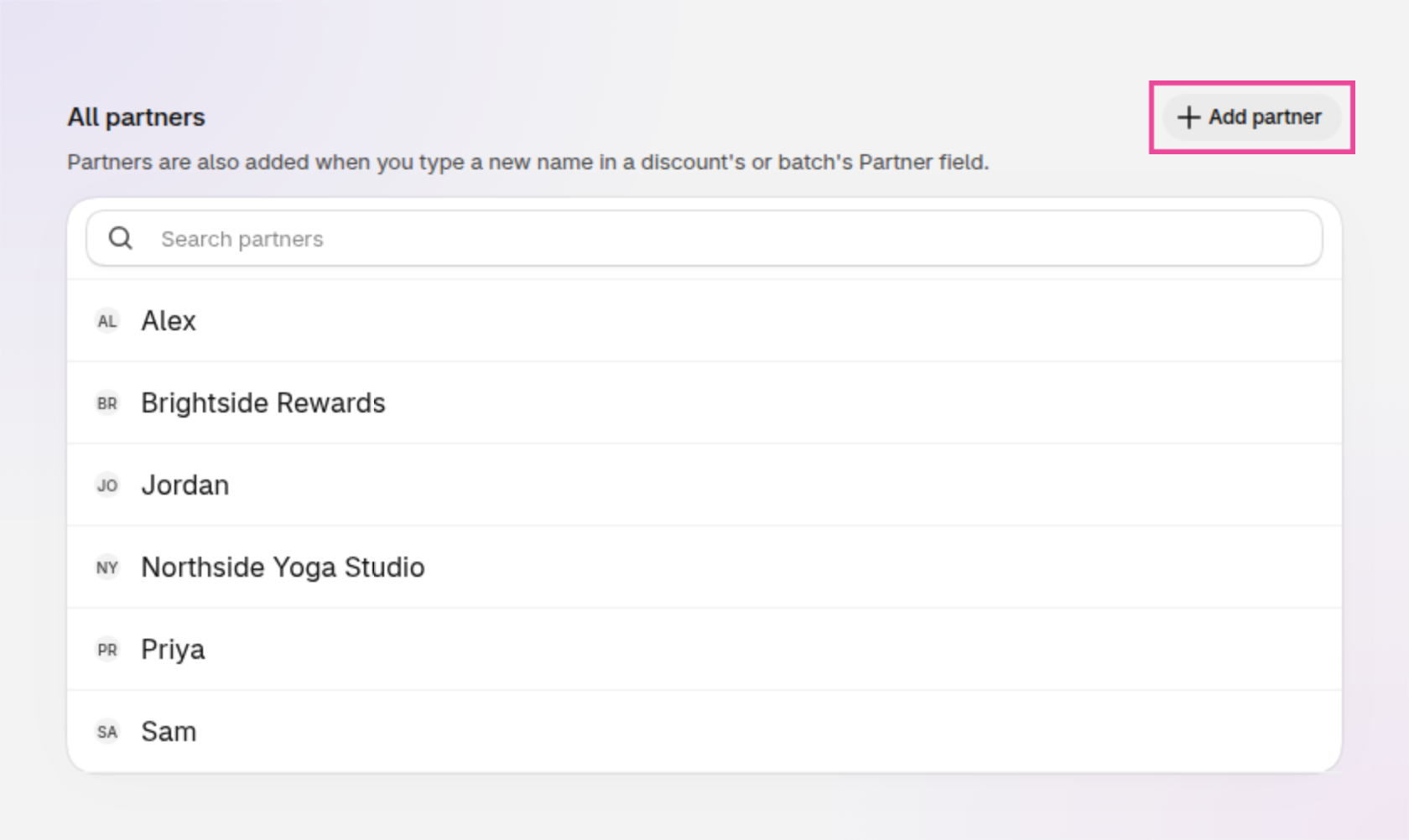
An example of the Partners page, with Add partner outlined.
You can also add a partner without leaving what you're doing:
Wherever you choose a partner for a discount or batch, type a new name and choose Create.
When you allocate codes to a partner, type a new name and choose Add partner.
Limits on changing partners
Partners don't have groups, a custom order or a Visible setting like campaigns and channels, and they can't be renamed or deleted.
How to attribute discounts and batches to a partner
On the Pro plan, you can attribute discounts and batches of codes to a partner. Attributing to a partner shows which discounts each partner gives out, lets you filter your lists by partner, and shows the revenue each partner drives.
A discount: in Discount Magic, go to Discounts and click the discount's title. In the Attribution section on the right, click Add partner and pick the partner. See Discount attribution.
A batch of codes: choose the partner when you create the batch, or change it later in the Attribution section on the batch's page. See Discount batch attribution.
You can also attribute many discounts or batches to a partner at once, and filter the discounts list or a discount's batches by partner.
Other places Discount Magic uses partners
The same partners are used across Discount Magic, so a partner you add in one place is ready in the others.
Discount code allocation (Pro plan): allocate unique discount codes to a partner, so you know which codes each partner has. See Discount code allocation.
Performance (Pro plan): break a discount's orders down by partner. See Discount performance.
When every code you've allocated from a discount went to one partner, Discount Magic suggests that partner the next time you choose a partner for the discount, under Suggested.
Frequently asked questions
Is a partner the same as a customer?
No. A partner is an influencer, affiliate or business that gives out or promotes your discounts. Customers redeem the codes.
Can a discount have more than one partner?
No. A discount has one partner at a time. To work with several partners on one offer, give each its own batch of codes, each with its own partner.
Can I rename or delete a partner?
No. In Discount Magic, partners can't be renamed or deleted. Check the spelling before you add one.
Related articles
Was this helpful?
Still need help? Ask the team