Ways to use unique discount codes
Ideas for using unique discount codes in Discount Magic, such as email campaigns, printed mailers, influencers, affiliates and customer service.
Last updated 5 days ago
Unique discount codes give each person, or each group of people, their own code instead of one shared code. In Discount Magic, you can group them into batches in whatever way suits your store, then send and export each batch separately and, on the Pro plan, track each batch's redemptions and revenue.
Which plans include discount code batches
One offer, many batches
Say you run a 15% off welcome offer. Instead of creating a separate discount for each channel, Discount Magic lets you create one discount with a batch of unique codes for each channel. You manage the offer and its conditions once, on the discount, and each batch keeps its own codes and export and, on the Pro plan, its own results.
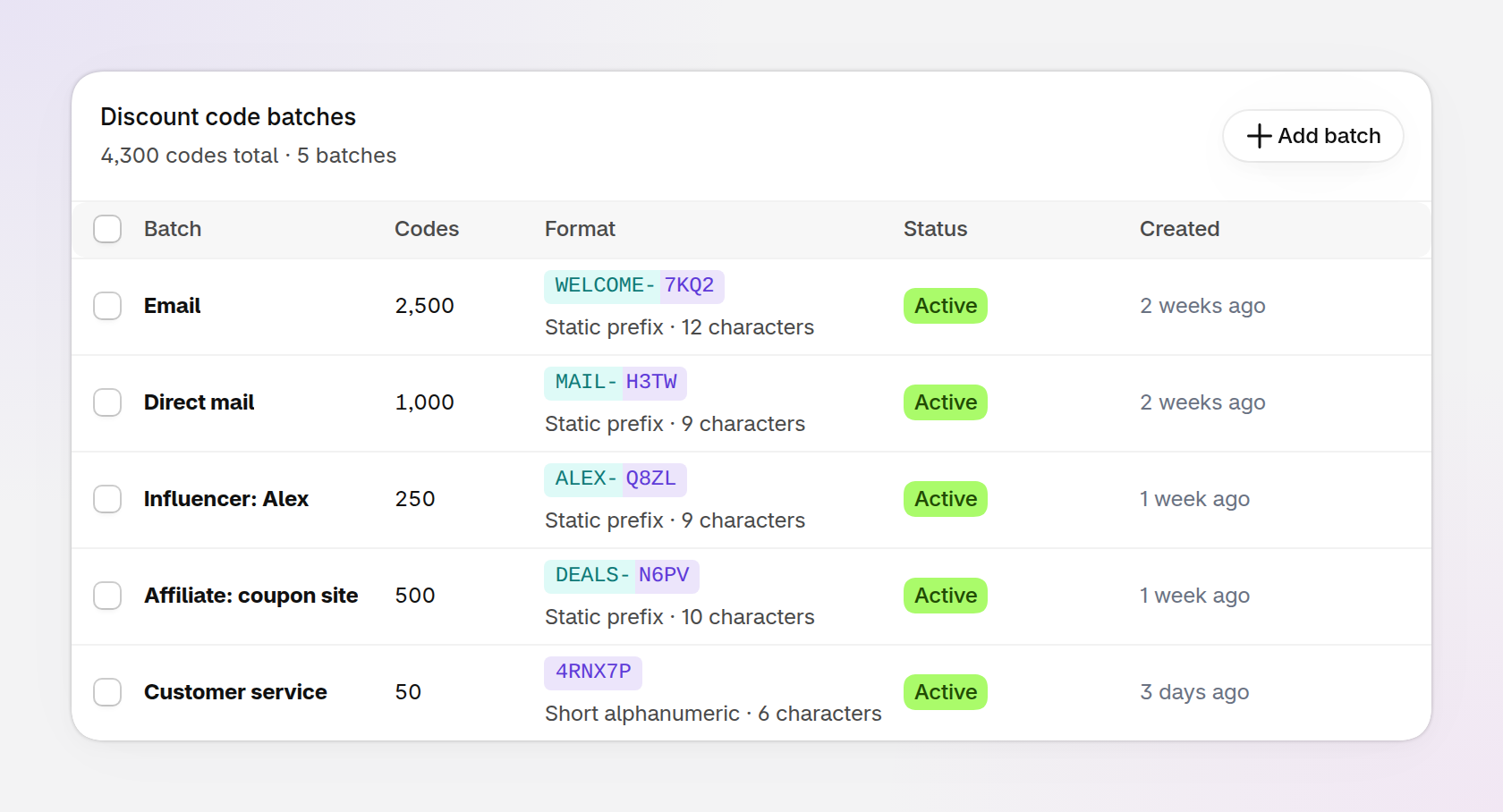
An example of one discount with a batch of unique codes for each channel.
Email marketing
Create a batch for your email campaigns or flows, so each recipient gets their own unique code. Export the batch to CSV and upload it to your email marketing platform or CRM.
If you use Klaviyo, Discount Magic can sync the codes for you (Pro plan), including any codes you add to the batch later.
Direct mail and printed inserts
Create a batch for postcards, flyers or package inserts and export it to CSV for your printer. Turn on Exclude confusing characters so the codes only use print-safe characters, without look-alikes such as 0 and O or 1 and I. A prefix such as MAIL- (Pro plan) also helps you spot these codes. For more ideas, see Discount code formats.
Influencers
Create a batch for each influencer, with a prefix such as ALEX- (Pro plan). Export a CSV file of just their codes to send them, and see which influencer drives the most revenue (Pro plan).
Affiliates
Create a batch for an affiliate partner, such as a coupon site. The batch's codes are kept separate from your other channels' codes, so you can share only those codes with the affiliate and compare the revenue it drives with your other channels (Pro plan).
Customer service
Create a small batch your support team issues one code at a time, for example as compensation for a late delivery, or to replace a code used on an order that was later canceled or replaced.
When channels need different offers
Every batch belonging to a discount gives the same offer. If channels need different offers, such as 15% off by email and free shipping by mail, set up a separate discount for each offer instead.
Frequently asked questions
How do I give each influencer their own discount code?
In Discount Magic, create a batch for each influencer on the same discount, then export each batch to CSV and send it to them. On the Pro plan, a prefix such as ALEX- makes their codes easy to recognize.
Can I print unique discount codes on mailers or inserts?
Yes. Export a batch to CSV and give the file to your printer. Turning on Exclude confusing characters makes printed codes easier for customers to type.
Can I use unique codes with my email platform?
Yes. Export a batch to CSV and upload it to your email platform or CRM. If you use Klaviyo, Discount Magic can sync the codes for you on the Pro plan.
How can I tell which channel a discount code came from?
Give each channel its own batch. In Discount Magic, the Performance section on the discount's page breaks down redemptions and revenue by batch on the Pro plan.
Related articles
Was this helpful?
Still need help? Ask the team